> ## Documentation Index
> Fetch the complete documentation index at: https://help.omnisets.com/llms.txt
> Use this file to discover all available pages before exploring further.
# Creating Subfolders
> Learn how to create subfolders in OmniSets.
Adding a subfolder is quite simple. Just create a new folder, and add it to the parent folder.
### Create a new folder
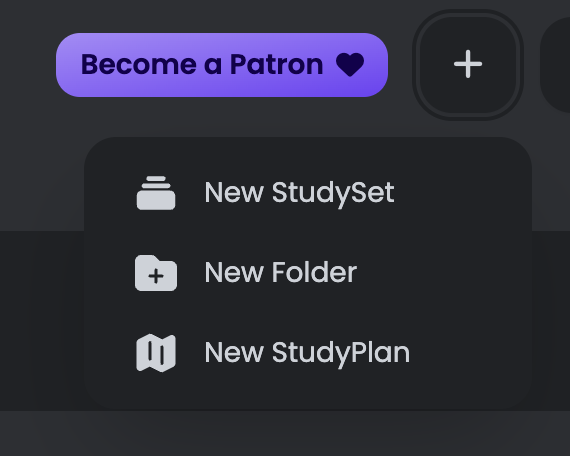
Click on the `+` button on the top right corner of the page. Then select `New Folder`.
 ### Add it to the parent folder
Once your subfolder has been created, you can add it to your parent folder.
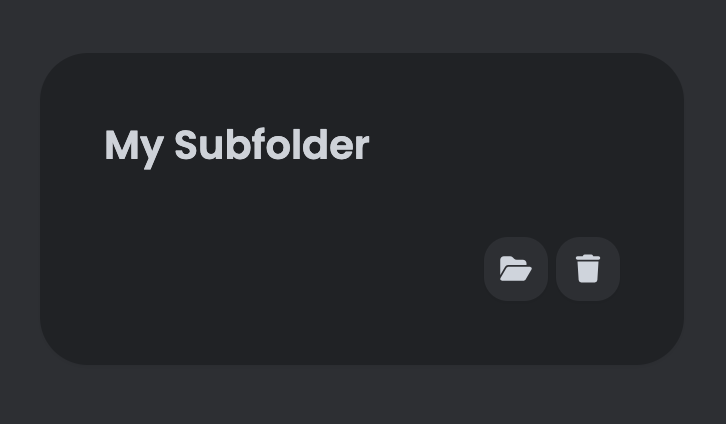
Hover over the subfolder, and click on the open folder icon.
### Add it to the parent folder
Once your subfolder has been created, you can add it to your parent folder.
Hover over the subfolder, and click on the open folder icon.
 Wait! The subfolder is still visible in the dashboard. To hide it, go to settings and toggle the `Hide Subfolders` option.
[Settings](/guides/user-settings#hide-subfolders)
Wait! The subfolder is still visible in the dashboard. To hide it, go to settings and toggle the `Hide Subfolders` option.
[Settings](/guides/user-settings#hide-subfolders)